Maze Runner Dog
A downloadable game
MAZE RUNNER DOG 🐕
🎮 Game Overview
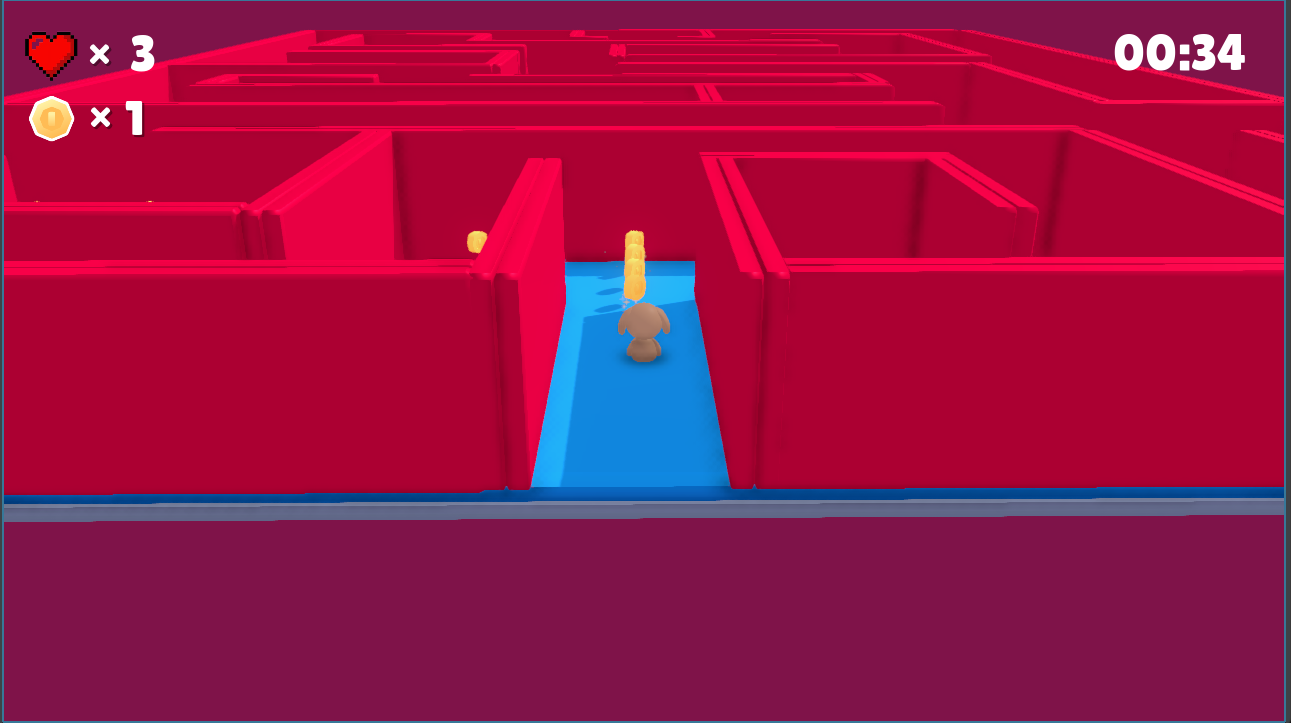
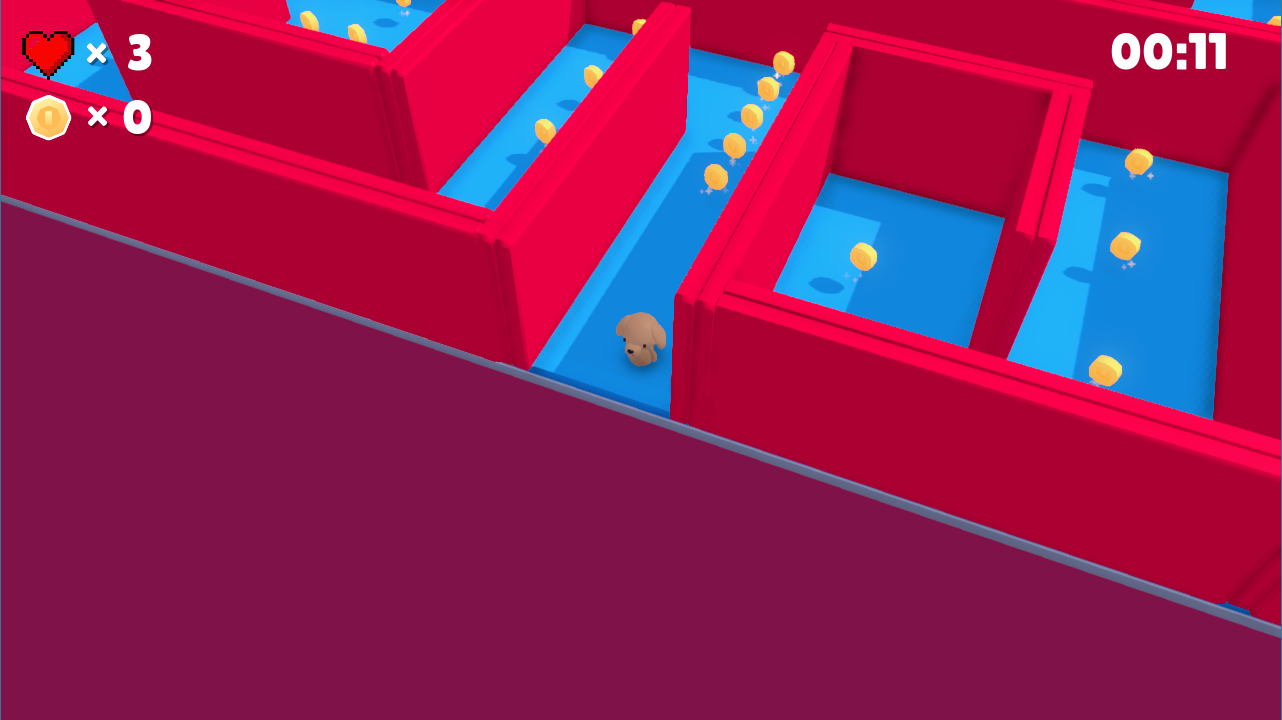
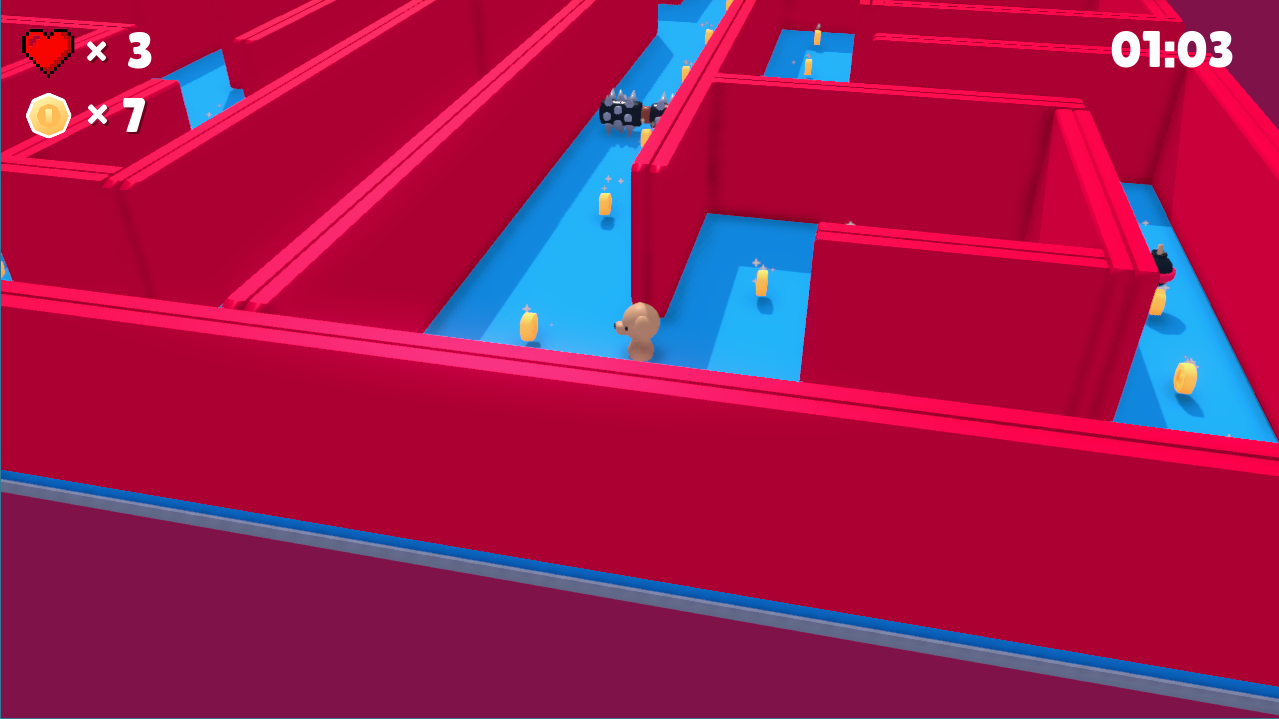
MAZE RUNNER DOG is a 3D platformer game where players navigate a maze filled with obstacles, enemies, and collectibles. Your goal is to collect 100 coins while avoiding spike enemies and reach the flag at the end of the level before running out of lives.
✨ Features
- 3D Platformer Gameplay: Classic platformer mechanics with jumping, double jumping, and precise movement
- Coin Collection System: Collect 100 coins scattered throughout the maze
- Lives System: Start with 3 lives - lose one each time an enemy hits you
- Timer: Track your completion time and try to beat your best record
- Dynamic Enemies: Moving spike enemies that patrol the maze
- Various Platform Types: Including falling platforms, grass platforms, and more
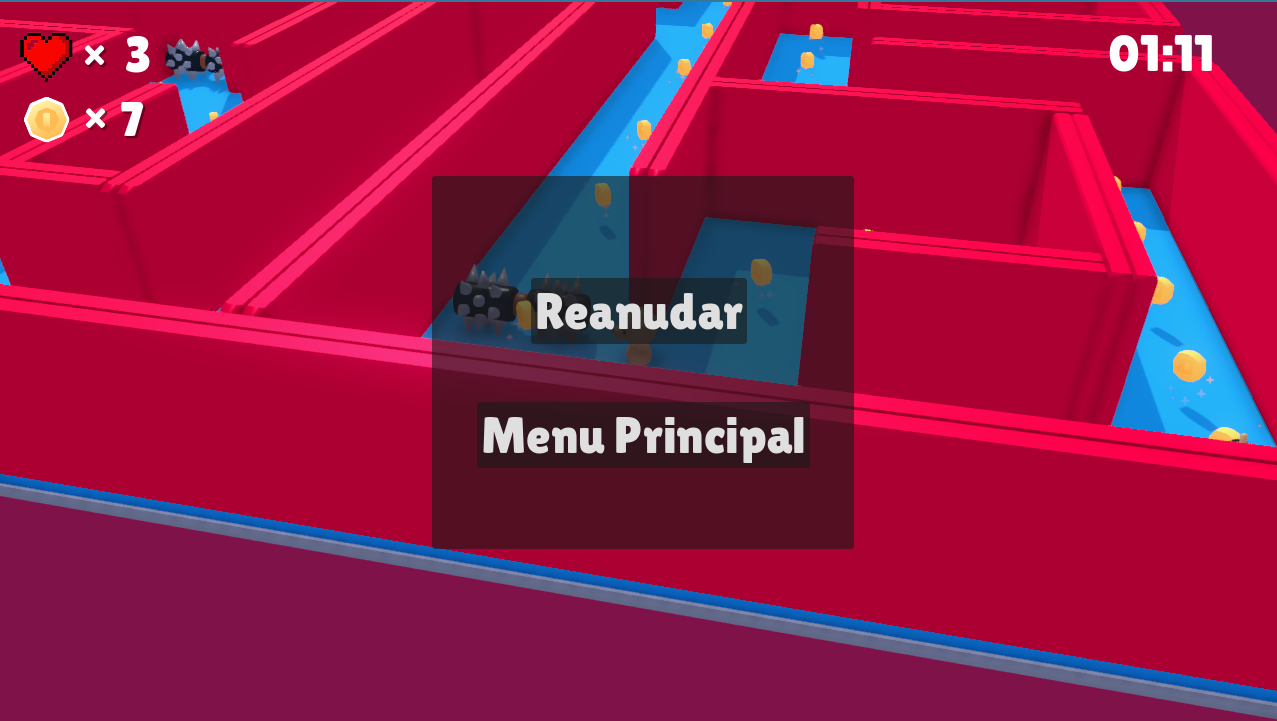
- Pause Menu: Pause the game at any time and return to the main menu
- Victory Screen: Shows your completion time when you win
- Game Over Screen: Allows you to retry or return to the main menu
- Sound Effects: Jump, land, walk, coin collection, and more
- Particle Effects: Visual feedback for movement and actions
- Controller Support: Full gamepad/controller support
🎯 Controls
Keyboard & Mouse Controls
| Action | Key/Input |
|---|---|
| Move Forward | W |
| Move Backward | S |
| Move Left | A |
| Move Right | D |
| Jump | SPACE |
| Double Jump | SPACE (while in air) |
| Camera Control | Mouse Movement |
| Zoom In | Mouse Wheel Up |
| Zoom Out | Mouse Wheel Down |
| Toggle Cursor | ESC |
| Pause Menu | ESC |
Controller Support
The game supports gamepad controllers for movement:
- Left Stick: Movement
- Button A/Cross: Jump
- Start: Pause menu
🕹️ Gameplay
Objective
- Collect 100 coins scattered throughout the maze
- Avoid spike enemies that patrol the level
- Navigate platforms including falling platforms and obstacles
- Reach the flag at the end of the maze to win
- Complete the level before running out of lives (you start with 3)
📚 How to Play
Starting the Game
- Launch the game from the main menu
- Click "Play" to start
- You spawn at the starting point with 3 lives
During Gameplay
- Movement: Use WASD keys to move your dog character around the map
- Jumping: Press SPACE to jump. Press SPACE again while in the air for a double jump
- Camera: Move your mouse to rotate the camera and get a better view. Use mouse wheel to zoom in/out
- Cursor: Press ESC to toggle mouse cursor visibility (for pause menu access)
- Coins: Walk over coins to collect them (track your progress in the HUD)
- Lives: Displayed in the top-left corner. You lose a life when hit by an enemy
- Timer: Your completion time is shown at the top of the screen
Winning
- Collect all 100 coins (optional but recommended)
- Reach the flag at the end of the maze
- Your completion time will be displayed on the victory screen
Losing
- If you lose all 3 lives, the game over screen appears
- You can choose to retry the level or return to the main menu
⚙️ Game Mechanics
Player Mechanics
- Movement Speed: 250 units per second
- Jump Strength: 7 units
- Double Jump: Available after the first jump
- Gravity: Dynamic gravity system
- Animations: Walking, idle, and jumping animations
- Sound Effects: Footsteps, jumping, and landing sounds
- Particle Trail: Emitted when moving at high speed
Camera Mechanics
- Mouse Control: Horizontal and vertical camera rotation
- Mouse Sensitivity: Adjustable (default: 0.2)
- Vertical Clamp: Camera pitch limited between -80° and -10°
- Zoom Range: 4 to 16 units
- Smooth Follow: Camera smoothly follows player movement
- Auto-Capture: Mouse is automatically captured during gameplay
- Cursor Toggle: Press ESC to show/hide cursor for menu interaction
Enemy Mechanics
- Spike Enemies: Move back and forth on a defined axis
- Collision: Touching an enemy respawns you at the spawn point and costs one life
- Movement Pattern: Sine wave oscillation along X, Y, or Z axis
Platform Types
- Standard Platforms: Solid, stable platforms
- Falling Platforms: Collapse after standing on them
- Grass Platforms: Large round platforms
- Colored Platforms: Various sizes and heights (green, red, blue)
Collectibles
- Coins: 100 coins to collect throughout the level
- Visual Feedback: Coin collection plays a sound and updates the counter
📁 Project Structure
laberinto3d/
├── fonts/               # Game fonts
│   └── lilita_one_regular.ttf
├── meshes/              # 3D mesh resources
│   ├── brick.res
│   └── dust.res
├── models/              # 3D models and textures
│   ├── character_dog.gltf
│   ├── coin.glb
│   ├── flag.glb
│   ├── platform*.fbx/glb
│   └── Textures/
├── objects/             # Reusable game objects
│   ├── brick.tscn
│   ├── character.tscn
│   ├── coin.tscn
│   ├── platform*.tscn
│   └── player.tscn
├── scenes/              # Main game scenes
│   ├── main.tscn        # Main game level
│   ├── MainMenu.tscn    # Main menu
│   ├── Enemy.tscn       # Enemy prefab
│   ├── Enemy_spike.tscn # Spike enemy variant
│   ├── Flag.gd          # Flag victory script
│   └── GameManager.gd   # Core game logic
├── scripts/             # Game scripts
│   ├── player.gd        # Player controller
│   ├── audio.gd         # Audio manager
│   ├── hud.gd           # HUD controller
│   ├── main.gd          # Main scene script
│   └── view.gd          # Camera controller
├── sounds/              # Sound effects
│   ├── jump.ogg
│   ├── land.ogg
│   ├── coin.ogg
│   └── walking.ogg
├── sprites/             # 2D sprites and images
│   ├── heart.png
│   ├── coin.png
│   └── gaming-hard.mp3
├── project.godot        # Godot project file
├── icon.png             # Game icon
└── README.md            # This file
🔧 Technical Details
Engine
- Godot Engine: Version 4.4
- Rendering: Forward Plus renderer
- Physics Engine: Jolt Physics
- Physics Interpolation: Enabled for smooth movement
Display Settings
- Resolution: 1280x720 (default)
- Stretch Mode: Canvas Items
- Aspect: Expand
- Anti-aliasing: Screen Space AA enabled
Key Components
GameManager (scenes/GameManager.gd)
- Manages game state (running, paused, victory, game over)
- Tracks player lives (3 lives system)
- Handles timer and time formatting
- Controls HUD visibility
- Manages scene transitions
Player Controller (scripts/player.gd)
- Character movement and physics
- Jump and double jump mechanics
- Camera-relative input handling
- Animation state machine
- Particle and sound effects
- Coin collection system
Enemy AI (scenes/Enemy.gd)
- Oscillating movement pattern
- Collision detection with player
- Configurable movement axis and speed
- Respawn trigger on contact
Flag System (scenes/Flag.gd)
- Victory condition trigger
- Communicates with GameManager
- Displays completion time
Audio System
Autoload singleton for global audio management
Sound effects for:
- Jumping
- Landing
- Walking/footsteps
- Coin collection
- Breaking objects
- Falling
Input System
- Keyboard and controller support
- Configurable dead zones for analog inputs
- Multiple input methods per action
- Pause menu toggle (ESC key)
🎨 Credits
Developed for the 3D Programming class as the final project of Professor Dr. José Luis Bonilla Carranza.
Developers:
-
Diego Emilio Gutiérrez Pérez
-
José Eduardo Mora Jiménez
-
Jesús Isaías Pérez Ruelas
NOTE: The following assets are not our own. Credits to their respective authors:
-
Models and Textures: Kenney ( https://kaylousberg.itch.io/kay-kit-mini-game-variety-pack)
-
Font: Lilita One Regular ( https://kaylousberg.itch.io/kay-kit-mini-game-variety-pack)
-
Character Models: Dog, Duck variants ( https://kaylousberg.itch.io/kay-kit-mini-game-variety-pack)
-
Platform Pack: Various platform models by Kenney (https://kaylousberg.itch.io/kaykit-platformer)
Development
- Game Design & Programming:
- Diego Emilio Gutiérrez Pérez
- José Eduardo Mora Jiménez
- Jesús Isaías Pérez Ruelas
- Engine: Godot Engine 4.4
- Repository: github.com/EduardoGMora/laberinto3d
Special Thanks
- Godot community for documentation and support
- Kenney for the amazing free game assets
📄 License
This project is licensed under the MIT License.
MIT License
Copyright (c) 2023 Kenney
Permission is hereby granted, free of charge, to any person obtaining a copy
of this software and associated documentation files (the "Software"), to deal
in the Software without restriction, including without limitation the rights
to use, copy, modify, merge, publish, distribute, sublicense, and/or sell
copies of the Software, and to permit persons to whom the Software is
furnished to do so, subject to the following conditions:
The above copyright notice and this permission notice shall be included in all
copies or substantial portions of the Software.
THE SOFTWARE IS PROVIDED "AS IS", WITHOUT WARRANTY OF ANY KIND, EXPRESS OR
IMPLIED, INCLUDING BUT NOT LIMITED TO THE WARRANTIES OF MERCHANTABILITY,
FITNESS FOR A PARTICULAR PURPOSE AND NONINFRINGEMENT. IN NO EVENT SHALL THE
AUTHORS OR COPYRIGHT HOLDERS BE LIABLE FOR ANY CLAIM, DAMAGES OR OTHER
LIABILITY, WHETHER IN AN ACTION OF CONTRACT, TORT OR OTHERWISE, ARISING FROM,
OUT OF OR IN CONNECTION WITH THE SOFTWARE OR THE USE OR OTHER DEALINGS IN THE
SOFTWARE.
Asset Licenses
- Kenney assets are licensed under CC0 1.0 Universal (Public Domain)
- Lilita One font - see fonts/license.txt for details
🐛 Known Issues
- There's no invisible box and the player can fall off the map
- Need to enhance menu to be able to customize the volume of the game
📞 Contact
For questions, suggestions, or bug reports:
Developers:
- Diego Emilio Gutiérrez Pérez (Diego05gtz)
- José Eduardo Mora Jiménez (EduardoGMora)
- Jesús Isaías Pérez Ruelas (Nutria721)
Repository Issues: laberinto3d/issues
Enjoy playing MAZE RUNNER DOG! 🐕🎮
Made with ❤️ using Godot Engine 4.4
Download
Install instructions
💾 Installation
Prerequisites
- Godot Engine 4.4 or later
Steps
- Clone this repository or download the ZIP file:
git clone https://github.com/EduardoGMora/laberinto3d.git
- Open Godot Engine 4.4
- Click on "Import" and navigate to the project folder
- Select the
project.godotfile - Click "Import & Edit"
- Press F5 or click the Play button to run the game
Running the Compiled Version
If you have a compiled executable, simply run the executable file for your platform.
Leave a comment
Log in with itch.io to leave a comment.